Vending Locker vs Vending Machine: What Differs
How vending lockers differ from spiral and elevator machines, which products fit, and how to specify doors, software and pickup.
Quick answer: 1950×2700×350 mm · 100 W · 220–240 V AC, 50 Hz
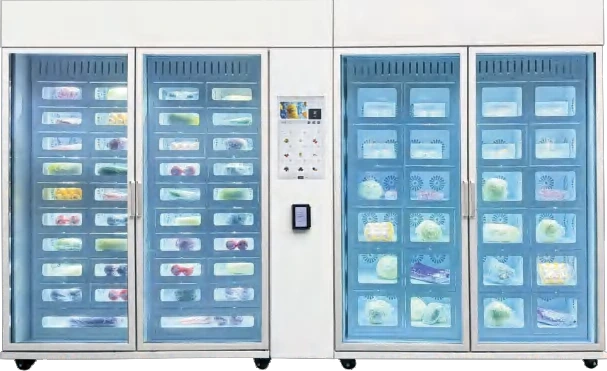
A vending locker is the simplest idea in unattended retail: one door, one item, one transaction. The customer pays or scans a code, the assigned door opens, and the item is taken. There is no spiral to drop the product, no elevator to carry it, and no need for every SKU to survive a fall.
That simplicity is why lockers appear in places where spiral machines struggle: hospital pharmacies, flower shops, fresh food counters, hotel lobbies and residential buildings. It is also why lockers are not a universal replacement for a vending machine. This guide compares the formats, the temperature options and the operating model. The lockers and smart cabinets line contains the hardware referenced here.
What is a vending locker?
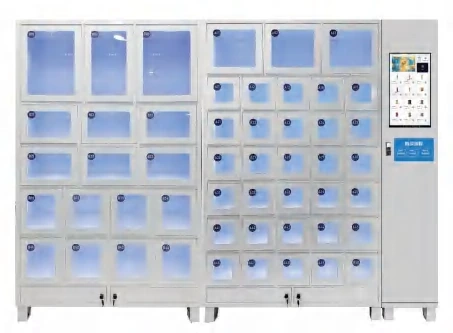
A vending locker is a bank of independently locked compartments. Each compartment has its own door, lock and usually its own sensor. The cabinet is controlled by a board that receives an order or a payment, assigns a door, unlocks it and records the event.
The format can be ambient, refrigerated or heated. It can be a retail cabinet where the customer chooses a product, or an order cabinet where the customer collects a purchase made elsewhere. The same hardware family can serve both, but the software and the pickup flow are different.
How is a vending locker different from a spiral machine?
The core difference is product access. A spiral machine presents a fixed planogram and drops one item from a coil. A locker presents a set of closed doors and releases one compartment. The customer sees less of the product, but the machine can hold items that would be damaged or would not fit in a coil.
| Feature | Spiral or elevator machine | Vending locker |
|---|---|---|
| Items per transaction | One item from a slot | One item or one order per door |
| Product protection | Drop or elevator delivery | Sealed compartment until pickup |
| Assortment change | Reload coils, change planogram | Assign a new product to a door |
| Product size | Limited by coil or platform | Limited by door dimensions |
| Transaction speed | Fast for repeat purchases | Slower: select, unlock, take |
| Best fit | High-volume uniform SKUs | Mixed, fragile, high-value or order-based goods |
A 54-slot elevator machine is still the better choice for a busy drinks and snacks site. A locker bank is the better choice when the product mix changes often or the packaging cannot be dropped; a refrigerated locker adds a chilled zone for food and flowers. The spiral versus elevator guide covers the delivery-system comparison in more detail.
Which temperature band does the locker need?
Temperature is the first specification decision, because it determines the cooling plant, the insulation and the door seal. Ambient lockers are the cheapest and simplest. Chilled lockers add a refrigeration system and temperature monitoring. Frozen lockers need a different plant and a defrost cycle.
| Format | Typical products | What to confirm |
|---|---|---|
| Ambient locker | Snacks, packaged goods, gifts, tools, electronics | Ventilation and door size |
| Chilled locker | Fresh food, flowers, pharmacy, chilled drinks | Temperature range at the door, defrost, drainage |
| Frozen locker | Ice cream, frozen meals, frozen retail packs | Cooling capacity, insulation, defrost cycle |
| Heated locker | Hot meals, warm food pickup | Heating element, ventilation, food-safety routine |
Do not treat the bands as interchangeable. A chilled locker set to its lowest temperature is not a freezer, and an ambient locker in a hot corridor is not a cool cabinet. The temperature guide explains how site conditions change the load.
How many doors and what door sizes?
Capacity is a door count, not an item count. A 46-door refrigerated locker holds at most 46 orders or items. The 62-door refrigerated locker holds 62. If a product needs a larger compartment, it consumes more than one door’s worth of space, or the cabinet is configured with fewer, larger doors.
Door size follows the product. A bento box needs depth and height; a bouquet needs height and a wide opening; a pharmacy pack needs a small, secure compartment. Send the largest and smallest product dimensions to the factory before the door layout is fixed. A cabinet that cannot fit the best-selling item is a cabinet that cannot sell.
The number of doors also sets the restocking routine. A 62-door cabinet with one item per door needs 62 items per fill, which may be too many for a low-traffic site. A smaller bank with a higher turnover is often easier to operate.
Which products work in a locker?
Lockers are strongest when the product is valuable, fragile, irregular or order-based. Fresh food and boxed meals fit because the packaging stays upright. Flowers fit because the bouquet is not compressed. Pharmacy fits because each compartment can be locked and audited. High-value retail fits because the item is protected until pickup.
The bento box machine and the 10-door flower cabinet are locker-format examples in the fresh food and flower and gift lines. The window flower cabinet is a different format: a glass display rather than independent doors. For pharmacy, the 107-slot cabinet and the larger 369-slot cabinet show how door count scales with SKU count; the pharmacy and health line covers the locked-access requirements.
General merchandise is another fit. A general merchandise locker can hold tools, accessories or seasonal sets that would jam a spiral. The limit is economic: a locker is slower per transaction, so it suits lower-frequency, higher-value purchases.
How does the pickup flow work?
There are three common flows. In a retail flow, the customer selects a product on the screen or app, pays, and the assigned door opens. In an order flow, the customer receives a pickup code or QR code and collects a prepaid order. In a membership flow, the customer identifies with a card, badge or account, and the cabinet opens the door linked to that identity.
Each flow needs a different audit trail. The retail flow needs a payment record and a product record. The order flow needs an order number and a pickup timestamp. The membership flow needs an identity and an entitlement. The cabinet should log all three without manual reconciliation.
A blind-box elevator machine is a hybrid: the customer chooses a box, the elevator retrieves it, and the packaging stays sealed. It is not a locker in the strict sense, but it solves the same problem — protecting the product until the moment of sale.
What software does a locker project need?
The cabinet is only half the project. The software assigns doors, issues pickup codes, handles expiry, monitors temperature and reconciles payments. It also needs an exception path for a door that fails to open, a customer who does not collect, or a temperature alarm.
Ask for four reports before the order: door status by cabinet, open events by user, temperature history by compartment, and failed transactions by reason. If the platform cannot produce them, the operation will depend on manual checks. The software line describes the standard stack and the API options.
Integration is the other half. A pharmacy project may need the prescription system; a residential project may need the building access system; a retail project may need the loyalty app. The residential solution is a typical example of a locker bank tied to building access. Confirm the integration before the cabinet is configured, not after it is installed.
What are the operating trade-offs?
The first trade-off is speed versus assortment. A locker is slower per transaction, but it can hold products that a spiral cannot. The second is capacity versus turnover. More doors mean more items per fill, which can be a problem for a low-traffic site. The third is control versus cost. Individual locks and sensors add cost, but they also add auditability.
Restocking a locker is different from restocking a spiral. Each door must be matched to the right product or order, and the software must know which door was filled. A mis-assigned door creates a wrong-item complaint. A disciplined fill routine, with a scan at the door, is more important than the cabinet’s hardware specification.
How do you specify a locker project?
Start with the product list: dimensions, weight, packaging, temperature band and value. Then define the flow: retail sale, order pickup or membership access. Then choose the door layout and the temperature format. Finally, confirm the software, the payment or identity method, and the audit trail.
Send the product list and the site conditions to the factory before the quotation. A locker project that starts with a door count usually ends with a cabinet that does not fit the product. The cost guide explains which configuration choices move the price, and the smart cabinet guide covers the recognition-based alternative.
For a locker configuration review, contact the VendHarbor team with the product dimensions and the intended pickup flow. If the project is healthcare-related, the healthcare solution and the hospital pharmacy case show how lockers combine with other self-service equipment. For a residential building, the smart fridge and locker deployment shows the mixed format.
Next step
Turn this guide into a configured machine
Send the product list, site conditions and target volume. We reply with a configuration, lead time and quotation — usually within one business day.
Machines mentioned in this article
 Flagship
Lockers & smart cabinets
50-Compartment Locker Vending Machine
Fifty independent doors in a 350 mm-deep cabinet.
View detailsLockers & smart cabinets
62-Compartment Refrigerated Locker
Sixty-two chilled doors for food, flowers and pharmacy.
View configuration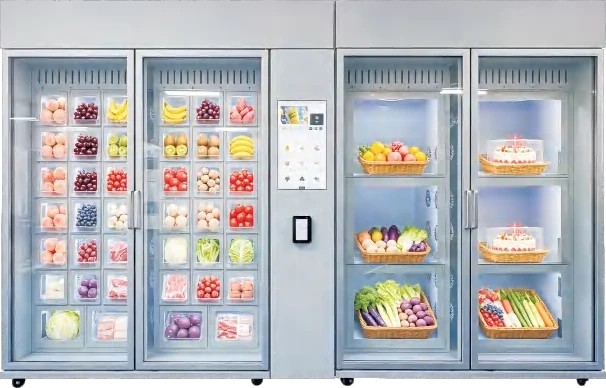
Lockers & smart cabinets
46-Compartment Refrigerated Locker
A narrower chilled locker bank for smaller sites.
View configuration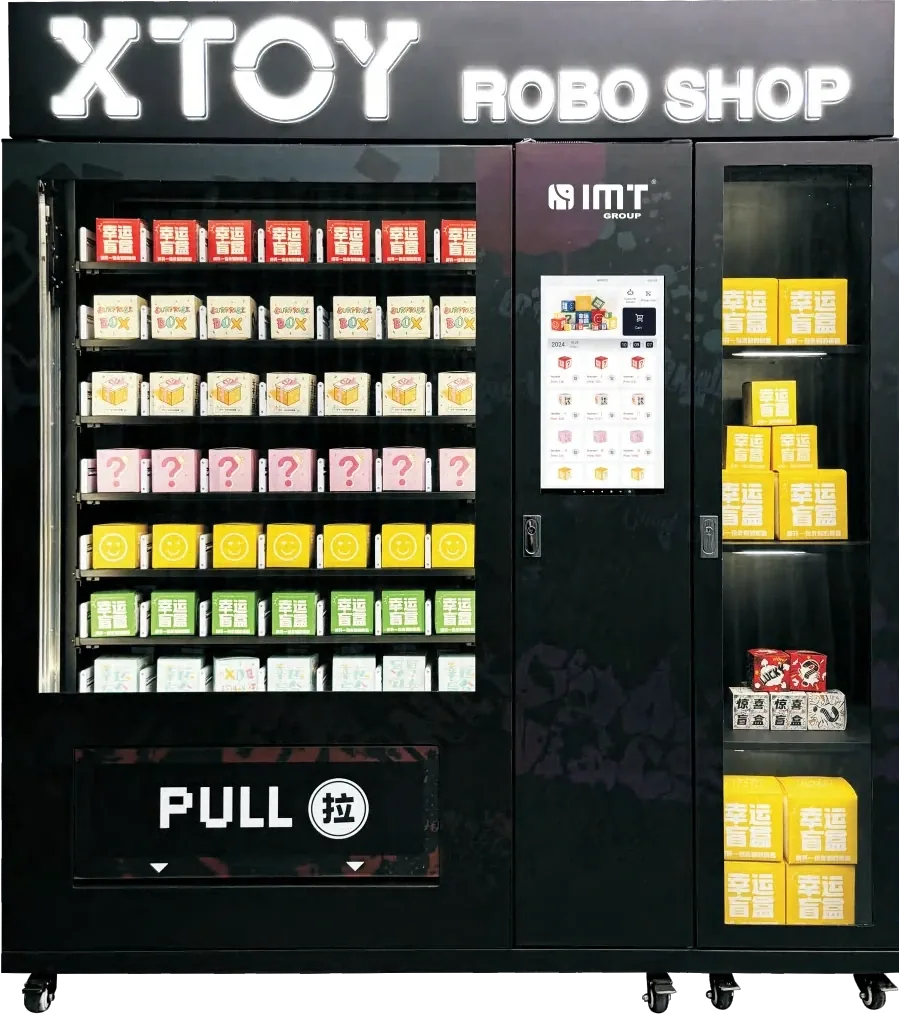 Flagship
Lockers & smart cabinets
Elevator Blind Box Vending Machine
Sealed blind-box retail with elevator retrieval and 300 boxes.
View details